Gina's BlogWire
-
Tammy’s Facebook Live Post: A Special Report
by Gina on January 7, 2019On Friday Tammy posted a 20-minute Facebook Live video briefing. If you missed it, we’ve embedded it here. She discusses the political news of the week including the economy, her column about Mitt Romney’s attacks on President Trump and his treatment of Ric Grenell at the time, now our Ambassador to Germany, what we can expect from the Democrat-held House, and many more issues. We expect she will be posting video briefings like this on a more regular basis, so make sure you are following her on Facebook!
-
Tammy on Fox News Radio/Sirius XM 6-9p ET Mon, Tues & Weds!
by Gina on September 13, 2017Tammy is hosting on Fox News Radio tonight, tomorrow and Wednesday from 6-9p ET. There are a number of ways you can listen and watch! 1) Fox News Radio website 2) Tammy Radio home Talk Stream Live 3) Sirius XM Channel 450 4)The Fox News App: At the top right of the first/opening page you’ll see the word “live,” click on that then scroll down the page and you’ll see Fox News Radio option. 5) VIDEO: Facebook Live There is also a CALL IN NUMBER! 877-367-2526
-
Video) Tammy on Tucker Carlson: Trump’s Twitter Brilliant, Exposes Hypocritical Media
by Gina on July 4, 2017ICYMI, here’s Tammy’s segment from last night on Tucker Carlson. She was the opening guest right after his monologue. Watch the latest video at video.foxnews.com Rush transcript: Tucker: There’s no defending is it but violent? Okay, you wonder if reporters by the same standards — do they apply to journalists? Remember when Bradley manning dumped 750,000 pages of U.S. Documents? Did anyone get hurt because of that? We’re still waiting for the follow-up story. Doesn’t seem to be a ton of interest in newsrooms. Or how about a month ago, when the press published leaks about the Manchester bomber that infuriated intelligence in the U.K.? Did that hamper British counterterrorism? Tammy Bruce is a radio show host. She joins us...
-
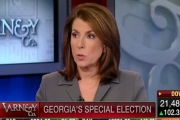
Video: Tammy Correctly Predicting Monday Handel Winning GA Election
by Gina on June 20, 2017On Monday’s Varney with guest host Charles Payne, Tammy gave a rundown why she was “cautiously optimistic” that Handel would “squeak by” with a win. Right on all counts!
-
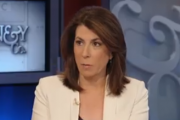
Video: Tammy Responds to Hillary Saying “Misogyny” Played a Role in Her Election Defeat
by Gina on April 10, 2017Here’s a snippet from Tammy’s appearance on Varney & Co. today discussing Hillary’s claim that “misogyny” contributed to her election defeat. Her take? Hillary lost because she’s Hillary Clinton. But it does prove the Russian narrative is dead, it also highlights Hillary’s *own* misogyny.
-
Public Podcast: Tammy’s Thoughts on the Debate & How the Election Is Far From ‘Over’
by Gina on October 20, 2016Here is the first half hour or so of today’s Tammy Radio where Tammy gets into why Trump saying he’ll “wait and see” about accepting the election result was more than appropriate, why he is still freaking out the elites, and how, despite the insistence of the legacy media, this election is far from over. Enjoy! If you like podcast like this and Tammy’s work here and on social media, please consider becoming a subscriber. Click here for details!
-
Public Podcast: Tammy On ‘What’s at Stake with This Election’
by Gina on October 11, 2016Enjoy this first hour of Tuesday’s “Tammy Radio” with Tammy discussing her support of Donald Trump and what’s really at stake in this election.
-
Tammy on Varney: America is DIVIDED Because of Obama’s Attitude & Lack of Leadership
by Gina on July 9, 2016Video from Tammy's Friday appearance on Fox Business' Varney & Co.
-
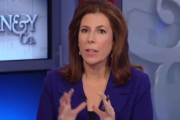
Tammy on Varney & Co Talking the FBI’s Mishandling of Orlando Terrorist
by Gina on June 17, 2016TERROR WARNING IGNORED: a gun store owner said he tried warning the FBI about the Orlando terrorist months ago. Tammy Bruce thinks political correctness is KILLING us.
-
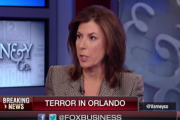
On Varney, Tammy Asks If FBI Deemed Orlando Terrorist Safe, What About Syrian Migrants?
by Gina on June 13, 2016"If the FBI and the Department of Homeland Security interviewed Omar Mateen and they knew about him and still let him go then how are we supposed to believe that Syrian migrants are going to be vetted and [Americans] will be safe?" — Fox News contributor Tammy Bruce
-
Border Patrol: A Wall Would Help
by Gina on March 1, 2016Well, well… Via Washington Examiner. A top Border patrol official seemed to surprise a House Democrat on Tuesday by indicating that improving the “physical barrier” at the southern U.S. border would help control immigration flows and drug trafficking, and that the fencing already up at the border has made a noticeable improvement. “We’ve seen great effect of the fencing, the wall that’s there, on the southern border,” Ronald Vitiello, acting chief of the U.S. Border Patrol, told a House Homeland Security subcommittee panel. Vitiello offered that assessment in response to a thinly-veiled question about Republican candidate Donald Trump’s pledge to build a border wall if he were elected president. “In this highly charged political environment, there’s a lot of talk...
-
Super Tuesday Open Thread
by Gina on March 1, 2016Hi everyone, here’s our Open Thread for the evening. As results come in I’ll post links with details. Feel free to post your own links in comments with additional information you find, and your thoughts as the evening proceeds. First polls starts to close at 7p ET. Good luck to all of you and your favorites! Washington Examiner: Live state-by-state results. Weekly Standard: What Super Tuesday’s Results Will and Won’t Mean States that close at 7p ET: GA, VA, VT 8p ET: AL, AK, MA, OK, TN 9p ET: CO, MN, TX CNN: Exit polls: 1 in 5 Republicans recently made up their minds 7p update: Fox calls Georgia for Trump Fox News projects: Trump, Clinton win Georgia primaries; Sanders...
-
Video: Tammy On ISIS Terror Threats And State Dept.’s Worldwide Travel Alert
by Gina on November 24, 2015Tammy on Fox Business “Making Money With Charles Payne” discussing the increase in terror threats and problem of Obama Administration’s ‘response’ to ISIS Watch the latest video at video.foxbusiness.com
-
Video: Tammy Refutes Obama That Media Needs “Perspective” On Terror
by Gina on November 23, 2015Tammy joined Alan Colmes and Jon Scott on Happening Now this morning to discuss Obama telling the media that they need “perspective” in the coverage of terrorism. In other words, they need to do less coverage. Tammy had a few things to say about that 🙂 Watch the latest video at video.foxnews.com
-
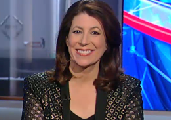
Video: Tammy on Fox News About Media in 2014
by Gina on December 29, 2014Here’s her segment from today, hope you enjoy it! Watch the latest video at video.foxnews.com
-
Subscribe
For exclusive media, daily podcasts, live TAM Chat & more
Join the Tammy Army
Follow me on Facebook:
Follow @HeyTammyBruceSign In
-
Donate
Donations are always welcome from subscribers and non-subscribers.
FAQs